Alerts on Telegram: trends, prices, moves and recaps
· By Talu
Updated on November 3, 2026, with the alerts added since this post came out.
Talu Crypt alerts are set where their subject is: a trend on Charts, a price on the chart, an address on Wallets. They all arrive on Telegram, and the Alerts screen lists them in one place.
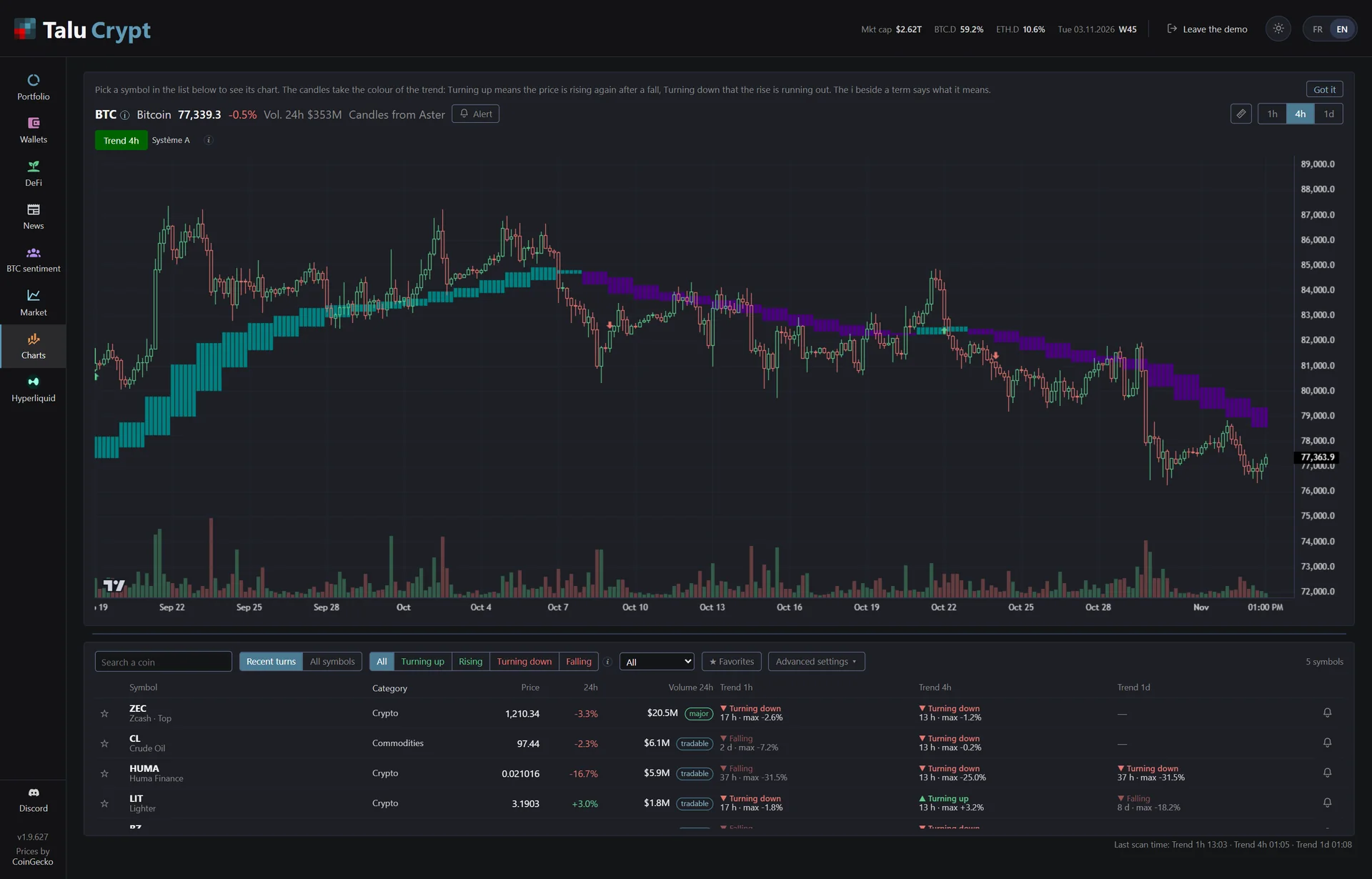
A trend turning, on several coins and timeframes
On Charts, each row ends with a bell. Press it to set a trend alert on that coin: choose the timeframes and the signal you want to hear about, Turning up, Turning down or both, then save. Do the same on as many coins as you like. A small bell in the trend columns marks every timeframe you already watch.
A price level, straight on the chart
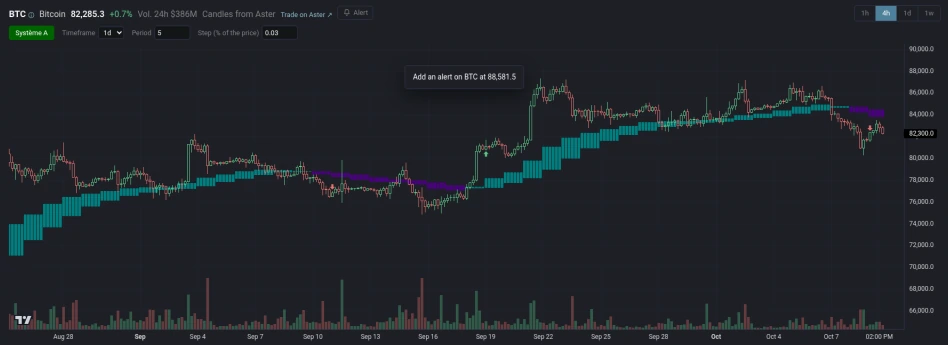
On a coin's chart, right-click at the price you care about and choose Add an alert on BTC at …: the level is taken from where you clicked. The Alert button next to the price, at the top of the chart, does the same from the last price.
A level above the price waits for a rise, a level below waits for a fall. The alert is sent once, when the price gets there, and every level still waiting is drawn as a line on the chart.
When an address you follow moves
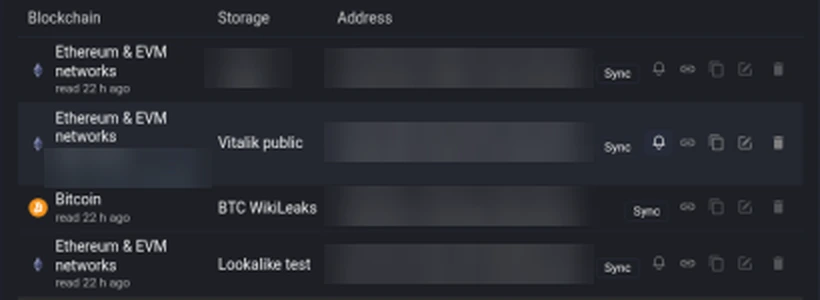
On Wallets, each Ethereum-compatible address has a bell next to Sync: Alert me when this address sends or receives. Press it and every transfer in or out of that address, on Ethereum, Base, Polygon and Arbitrum, arrives in Telegram. Press it again to remove the alert. Other networks, Bitcoin included, have no bell for now.
Telegram, connected once
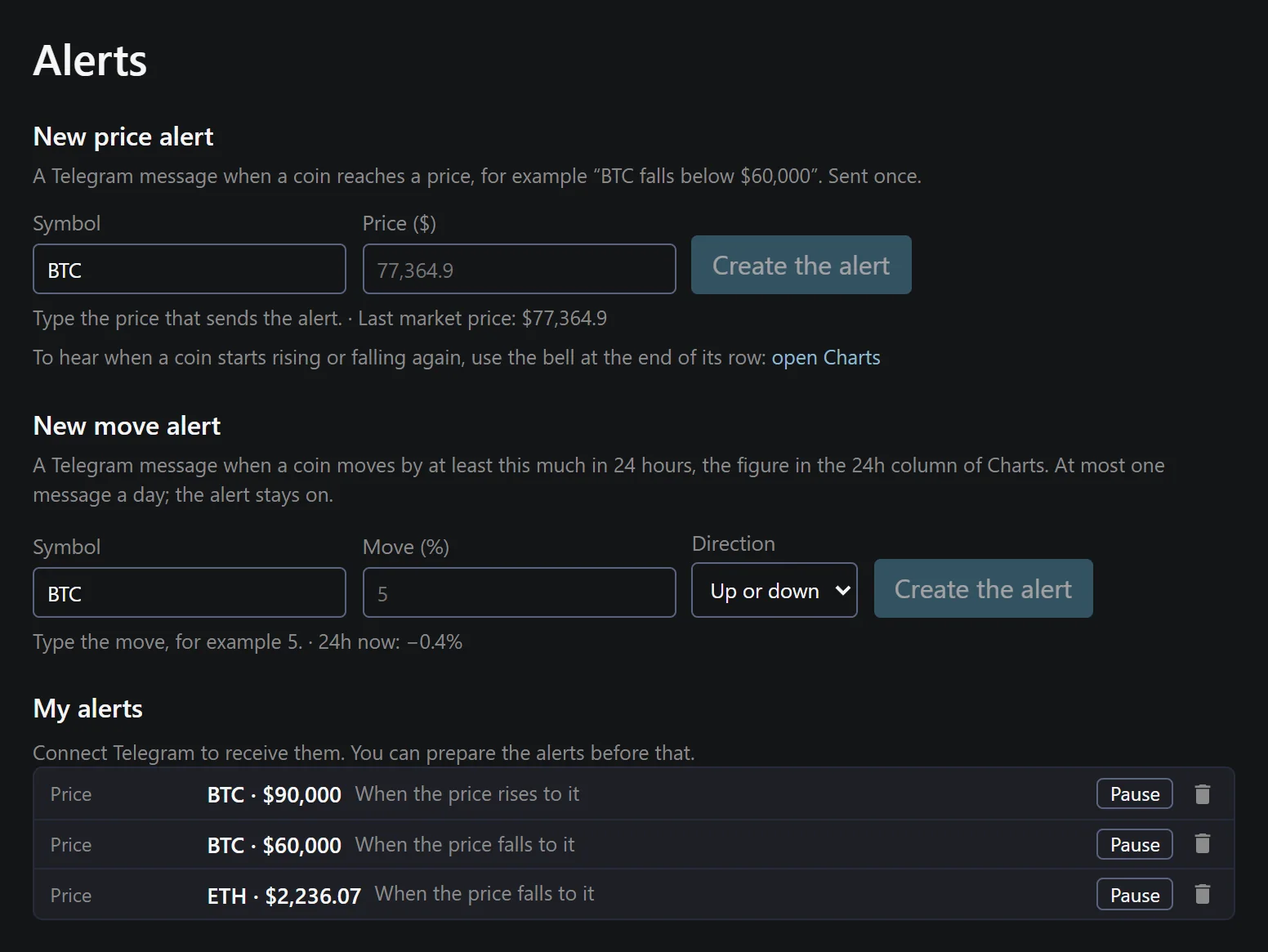
Open Alerts and press Connect Telegram. The link opens the Talu Crypt bot: tap Start and your account is connected, with no @username to type. You can prepare alerts before that; they are listed and wait for Telegram. Once connected, Send a test checks that messages arrive, and every alert can be deleted from the list.
And the rest, on the Alerts screen
- A coin's move: a message when it moves by at least the percentage you choose in 24 hours.
- A portfolio: a message when it reaches a value, or moves by a percentage in 24 hours.
- A DeFi rate: the bell beside a position on DeFi warns you when its rate falls.
- News on my coins: a message when an article names a coin you hold or follow, with a daily limit you set.
- Recaps: every Sunday evening, what your portfolios are worth and the week's move; every day too, at the hour you choose, if you turn it on.
Alerts are delivered on Telegram only. Sell targets are gone: a price alert on the chart now does that job.
Tell us on Discord what you would like to be alerted about.