BTC sentiment: a conclusion for the day, and the last 7 days
· By Talu
The main change in the web app (version 1.9.216) is on BTC sentiment. In French the screen is titled Sentiment BTC. A banner states the crowd's conclusion for the latest day with an opinion: plutôt haussier, plutôt baissier, or plutôt neutre. A filter, on by default, keeps the people who were active these 7 days. In French it reads Actifs ces 7 jours. The captures below are the French interface. They show no amounts and no addresses.
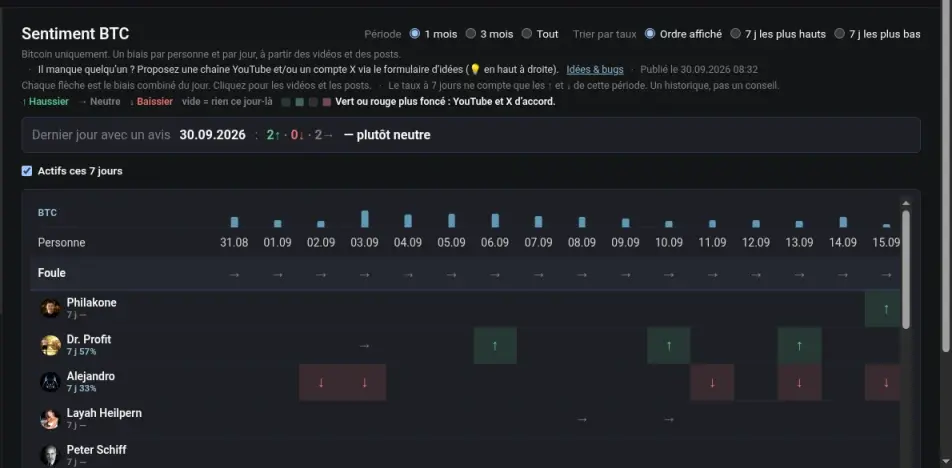
A conclusion for the day, and who spoke this week
The banner is labeled Dernier jour avec un avis (last day with an opinion), then the date, the count of up, flat and down arrows, and the conclusion. On 30 September 2026 that conclusion is plutôt neutre.
Under the banner, Actifs ces 7 jours is checked. It limits the list to voices who published in the last seven days. Uncheck it to see the longer history. Below that, the screen is still one person per row, with an arrow per day.
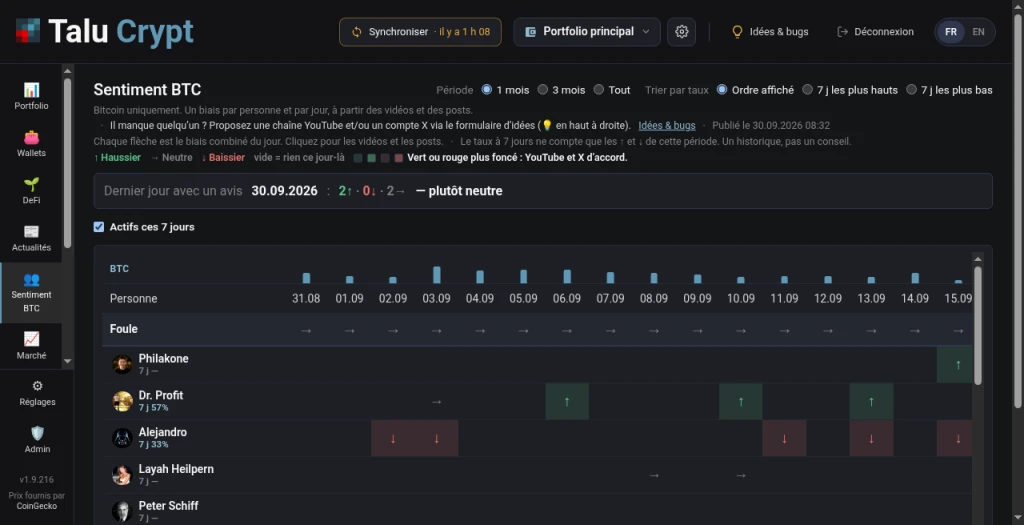
On a phone: Navigation and Compte
The menu on a phone is split in two. Navigation is the product: Portfolio, Wallets, DeFi, Actualités, Sentiment BTC, Marché, and Marge Bitfinex, Hyperliquid and Aster when you have an account there. Compte is the account: Réglages, Idées & bugs, and Déconnexion.
Sentiment BTC is in that list. On a phone, its crowd conclusion is the first block on the page, before the rows.
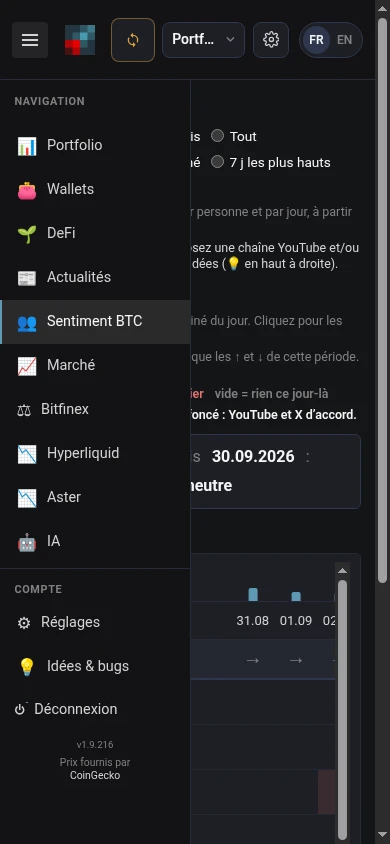
Hyperliquid and Aster, once you have them
Hyperliquid and Aster are not in every menu. They appear under Navigation, after Marge Bitfinex, as soon as one of your addresses has an account on either: the menu stays short for everyone else. The capture above is from an account that has both. There is no capture of the position screens: those show amounts.
When the interface is in French, the errors on Hyperliquid and Aster are in French. If there is nothing to show, the empty state points to Wallets, where you add an address.
Three steps, until the first total
Until a portfolio has its first real total, Portfolio shows a checklist of three steps: connect a source, sync it, and see the total. The checklist leaves once that total exists. The account in the captures above is already past it, so the checklist is not on those screens.