How to Track All Your Crypto in One Place: Exchanges and Wallets, Free
· By Talu
Most crypto holders end up with the same mess: some coins on one or two exchanges, the long-term stack on a hardware wallet, a few tokens on another chain, and a spreadsheet that is out of date the day after you fill it in.
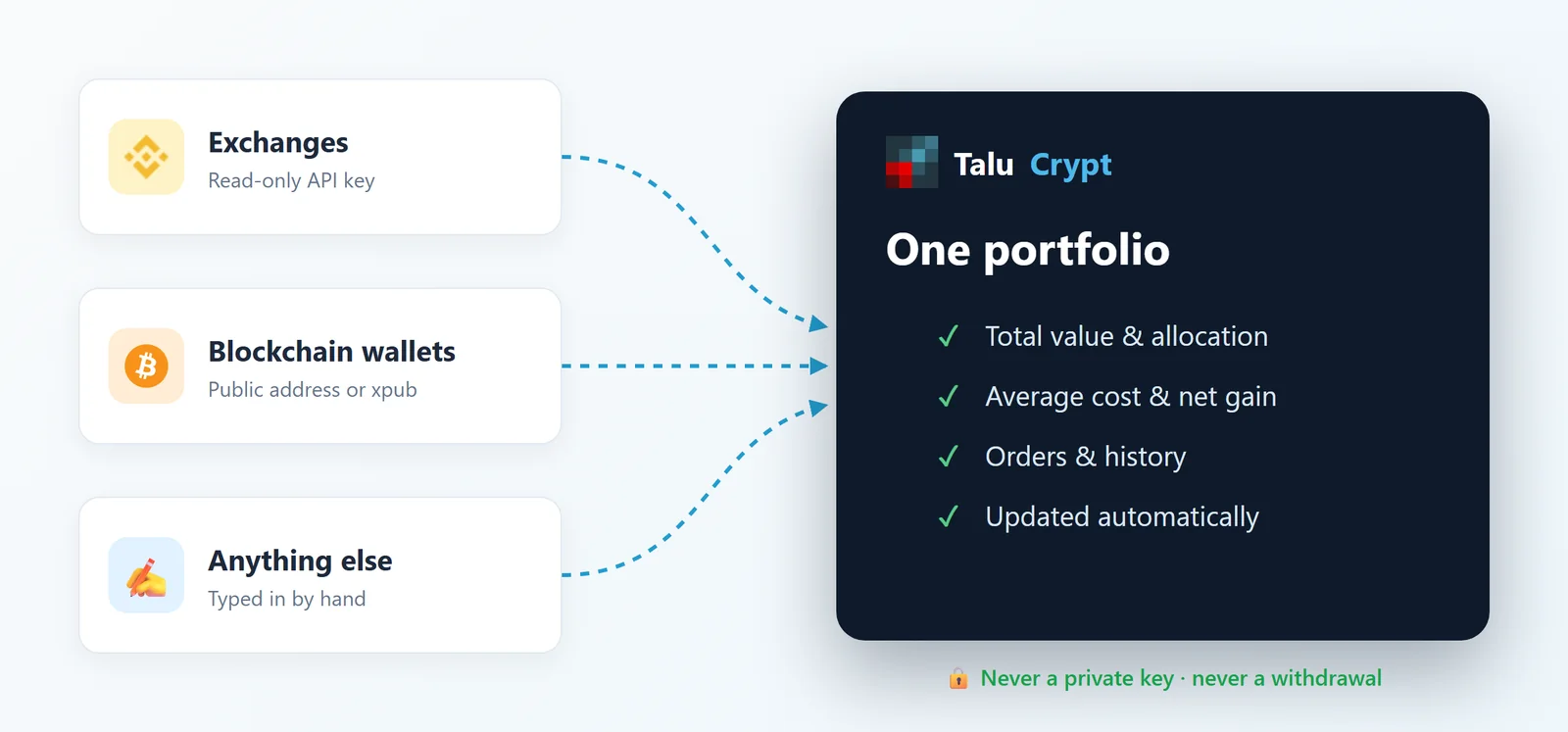
This guide shows how to put all of it in a single portfolio with Talu Crypt, a free web app. It takes about ten minutes, and at no point does it ask for a private key or a recovery phrase.
1. Create an account (or try the demo first)
Open app.talucrypt.com and sign up with an email address or a Google account. Nothing to install: it runs in your browser.
Not ready to connect anything yet? A new account can generate a demo portfolio with sample holdings and orders, so you can look around first. All the screenshots in this article come from that demo — the numbers are made up.
2. Add your wallets with their public address
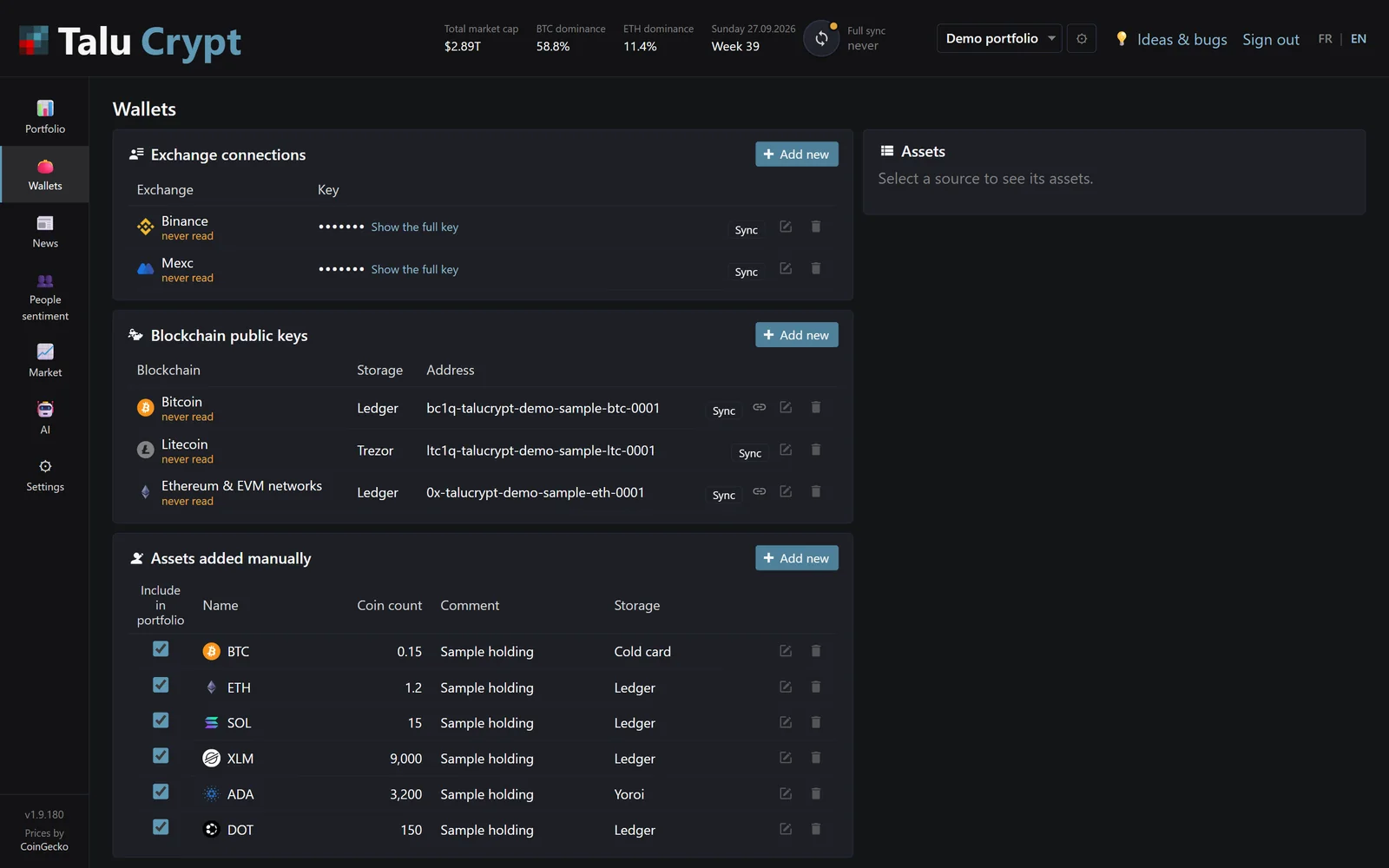
Go to Wallets, then Blockchain public keys → Add new. Pick the blockchain, paste the public address — or, for Bitcoin, the xpub of your wallet — and say where it is kept (Ledger, Trezor…). Talu Crypt then reads the balance and the transactions for you.
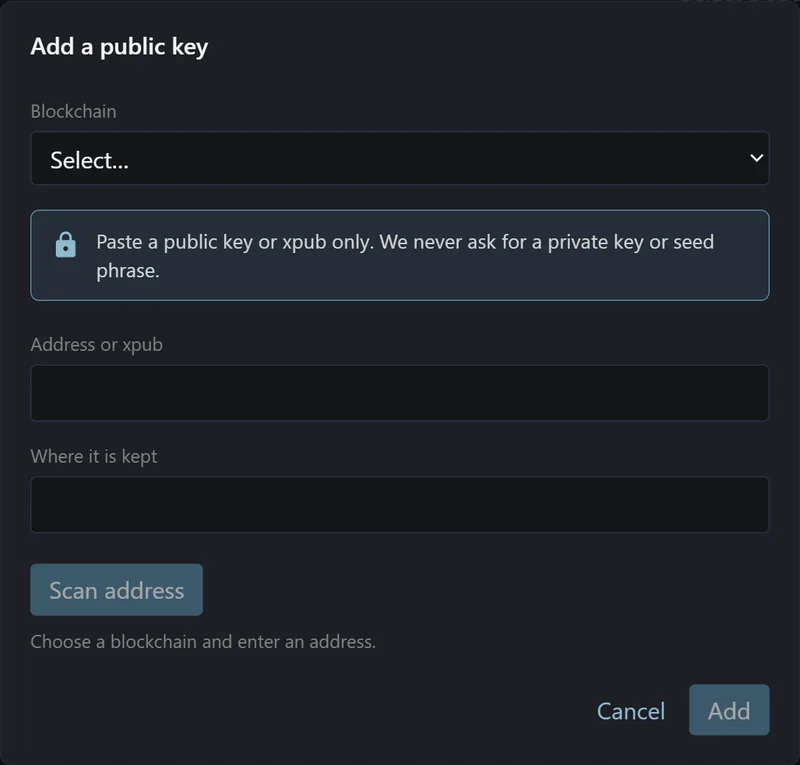
Supported today: Bitcoin (xpub included), Ethereum and EVM networks such as BNB Chain, Arbitrum and Polygon, PulseChain, Litecoin, Bitcoin Cash and more.
💡 Why an xpub? A Bitcoin wallet uses a new address for almost every payment. The xpub (extended public key) lets the app find all of them at once, so your balance is complete instead of showing only the first address.
3. Connect your exchanges with a read-only key
On your exchange, create an API key with the read permission only — no trading, no withdrawals. Then, in Wallets → Exchange connections → Add new, choose the exchange, paste the key and the secret, and click Test connection.
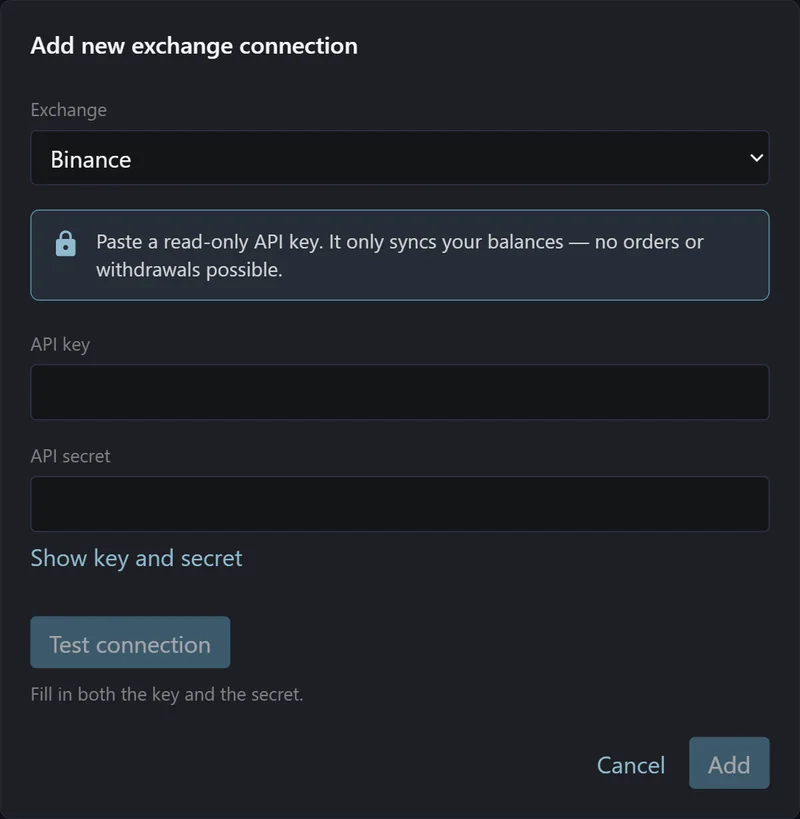
On Binance and Bitfinex, Talu Crypt goes further: it asks the exchange what the key is allowed to do, and refuses a key that can trade or withdraw. Keys are encrypted on our server and never shown again in full. The details are on the security page.
4. Add the rest by hand
A coin on a platform that is not supported yet, a paper wallet, a position you would rather type in? Use Assets added manually: a coin, a quantity, where it is kept. The price and the value update automatically like everything else.
5. Read your portfolio
Back on Portfolio, everything is added up:
- ✅ The total value, in dollars and in bitcoin, and how it moved since yesterday.
- ✅ The split between crypto and stablecoins, so you know how much cash you really hold.
- ✅ For each coin: the price, your average buy price, the quantity and the net gain.
- ✅ Your pending and past orders imported from the exchanges, and the history of the portfolio over time.
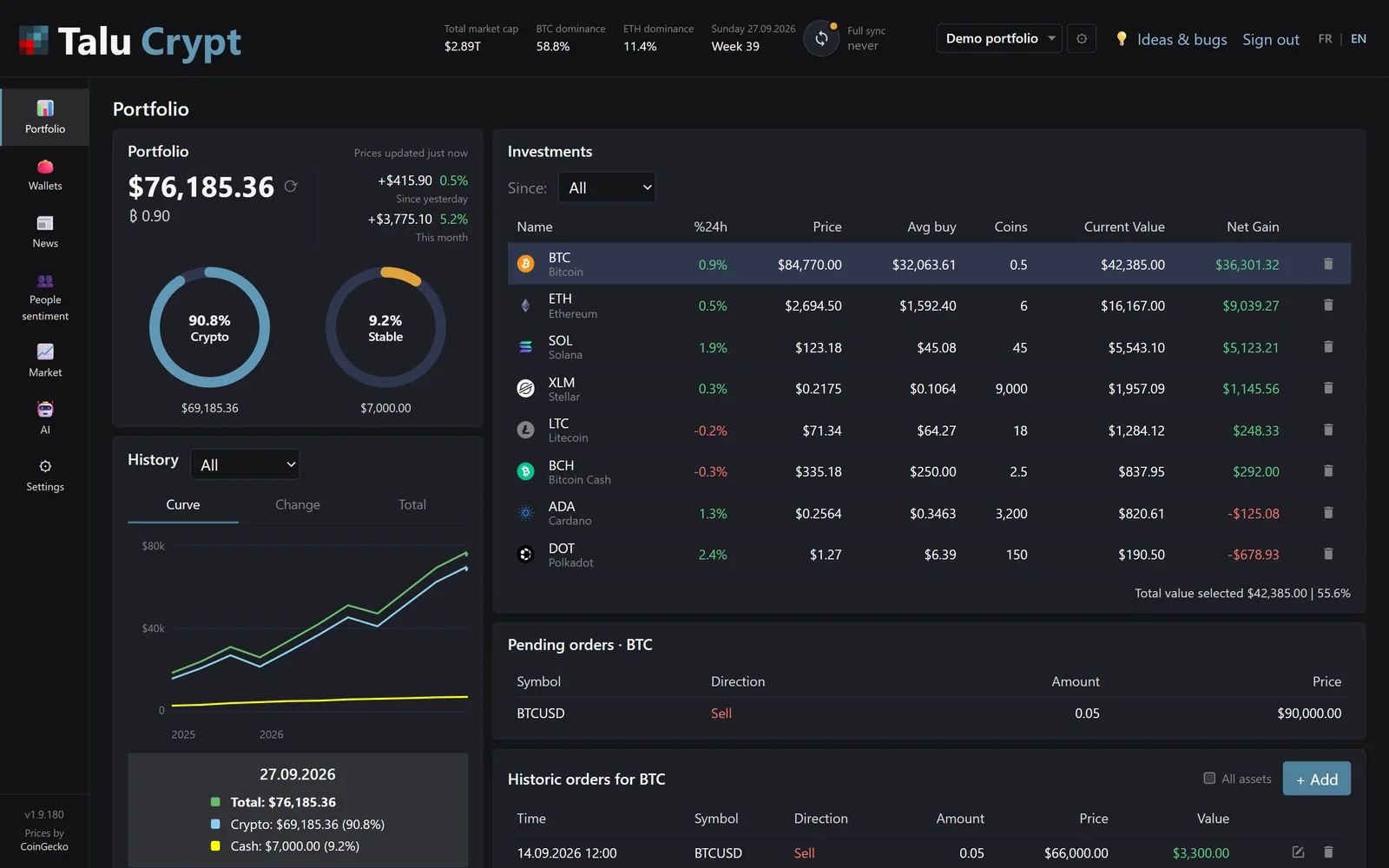
Need to separate things — a long-term stack and a trading account, or your own coins and a relative's? Create several portfolios and switch from the menu at the top.
6. Beyond balances
Once your coins are in, a few extra screens are there when you want them:
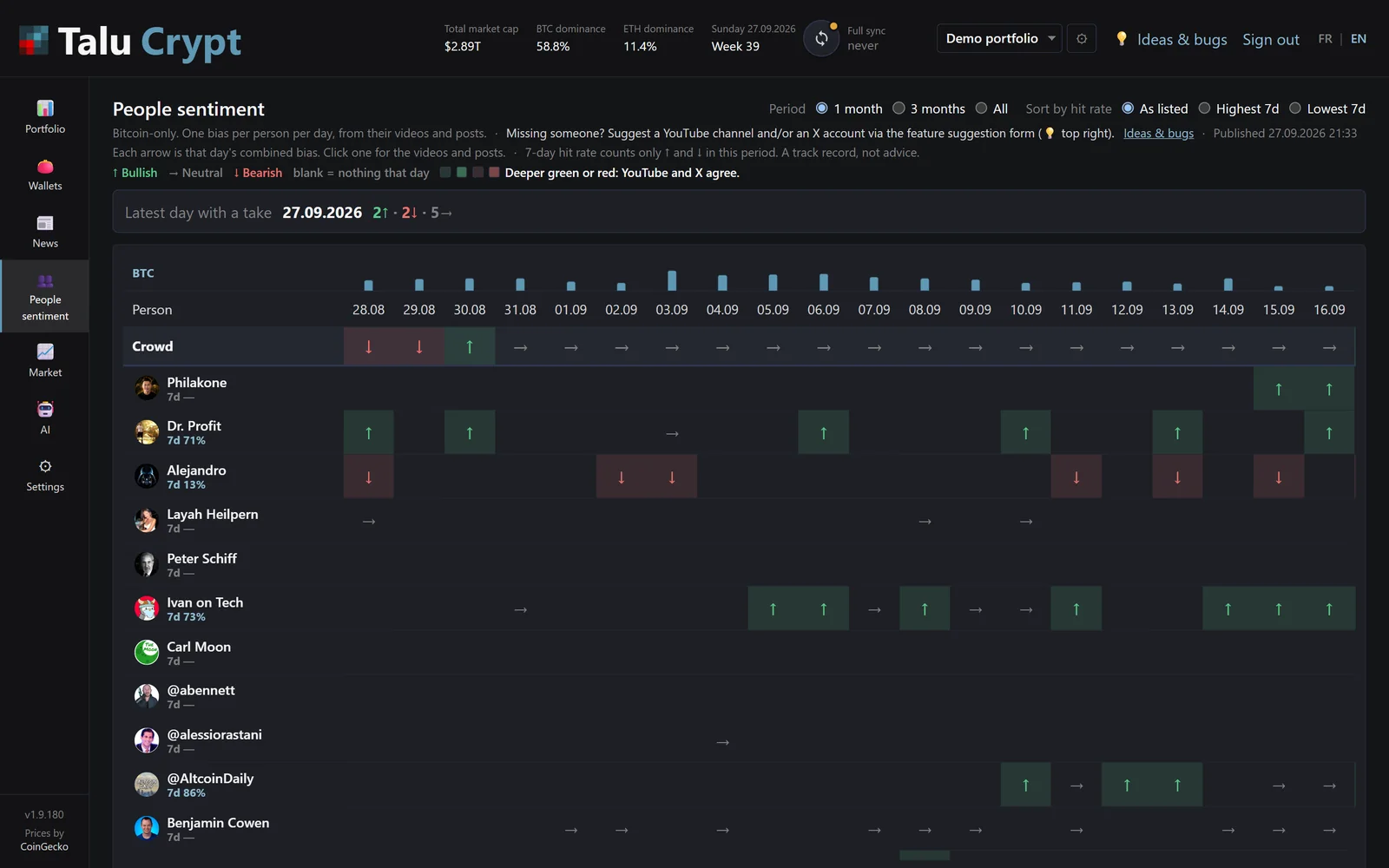
- 🔹 People sentiment: what well-known YouTube analysts and X accounts said about Bitcoin, day by day, with their recent hit rate.
- 🔹 Bitfinex margin, Hyperliquid and Aster views for those who trade with leverage.
- 🔹 An AI review of your portfolio, when you ask for it.
- 🔹 Market and News tabs.
❓ Quick answers
Is it really free?
Yes. Every feature is open to everyone, with no subscription and no in-app purchase.
Can Talu Crypt move my crypto?
No. Wallets are followed with public addresses, and exchange keys are read-only. Neither can sign a transaction or withdraw funds.
Does it replace my spreadsheet?
That is exactly why it was built. Prices and balances refresh on their own; you only add a new source when you open a new account.
Ready? Create your free account on app.talucrypt.com, and tell us on Discord which exchange or blockchain you would like next.